At a glance:
- Announcing updates for Team Safe: Based on customer demand, we’re announcing three updates to this Sonder safety module.
- Recurring check-ins: Employees can set a check-in interval once and be checked on repeatedly until a set end time, without restarting each time.
- Proactive manager alerts: Nominated managers are notified the moment an employee starts a shift, check-in or journey.
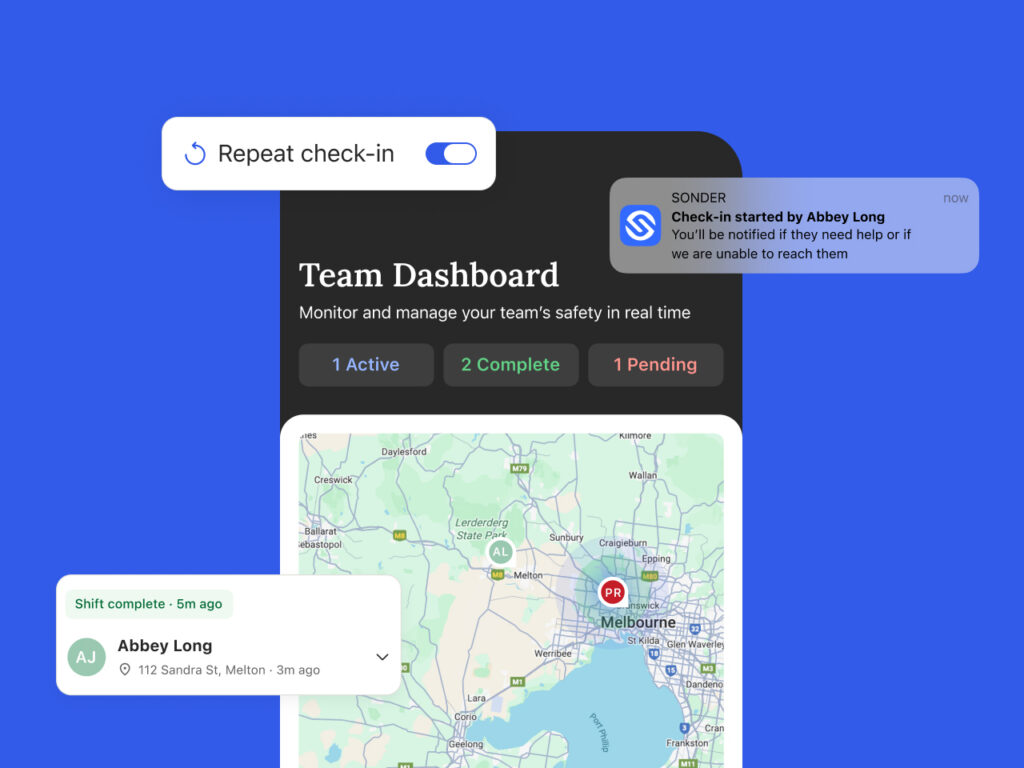
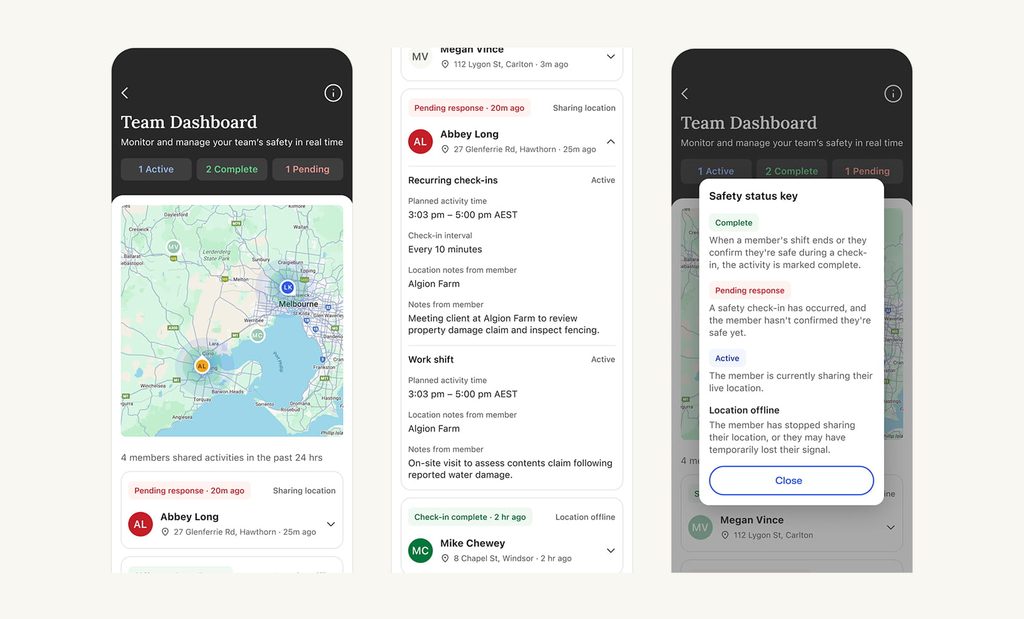
- A redesigned in-app dashboard: Streamlined insights across status counts, with a live map and full activity detail.
Today we’re excited to announce some updates to Team Safe, Sonder’s safety module for mobile, frontline and distributed teams. Team Safe bridges the gap between personal safety and organisational oversight, giving managers appropriate, consent-based visibility of shifts and shared safety activities.
Employees can use it to share a shift, share a journey, or set a check-in, choosing who sees it. If a check-in is missed or something does not go to plan, the situation escalates into Sonder’s 24/7 Support Centre, which works to confirm the employee’s safety and brings the nominated manager into the process. Where required, that extends to clinical guidance, safety response or emergency services.
Sharing is always opt-in, initiated by the employee, and active only for the duration of that shift or activity. It is not always-on. You can read more in our blog, Introducing Team Safe.
Introducing three new features
Team Safe has been shaped by what customers have asked for since launch. These updates make it simpler for employees to stay connected through a whole shift, and give managers a clearer real-time picture of their team.
1. Recurring check-ins
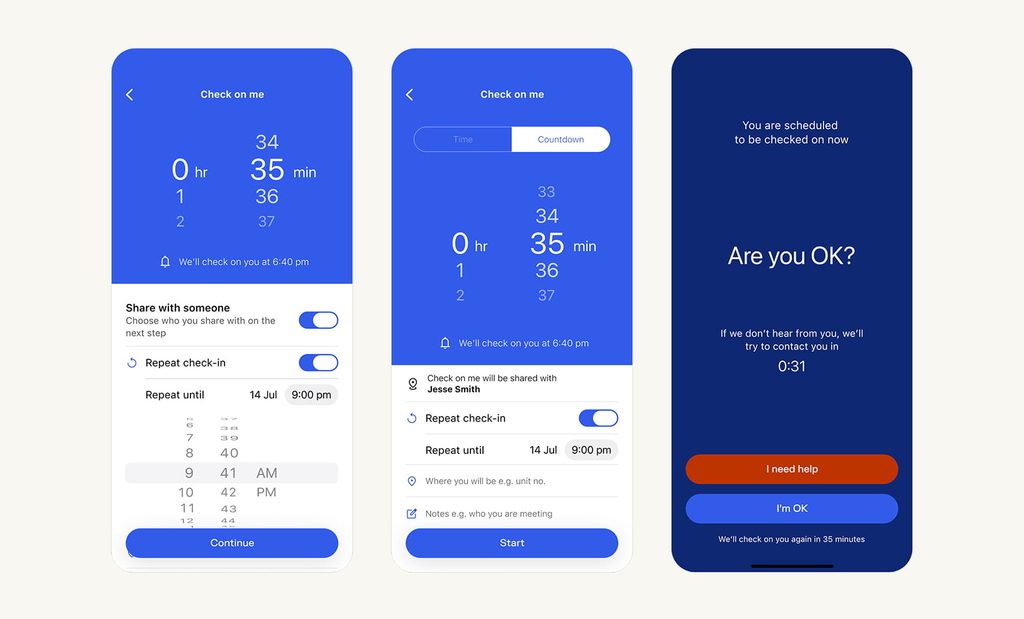
Employees can now set an interval once and be checked on repeatedly until a set end time, up to 24 hours ahead.
Think of a trolley collector at a large retail site. They spend the shift outside, alone, often out of sight of the store and near moving vehicles. They set an interval at the start of the shift, choose who it is shared with, and get on with the job.
Each check-in is a single tap to confirm, and the next one begins automatically. The last one tells them the sequence is ending, and they can stop it early at any time.
Escalation is unchanged. If an employee asks for help or does not respond, Sonder steps in exactly as it does today.
2. Proactive manager alerts
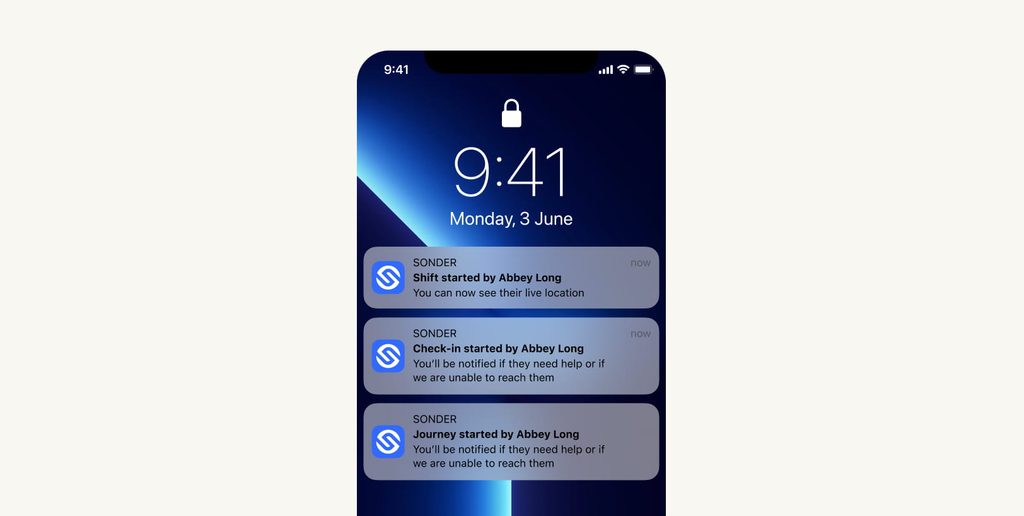
Team Safe now sends a nominated manager a push notification the moment an employee begins a shift, a check-in or a journey.
The notification names the employee and the activity, and says what the manager will be told next. For a shift, that live location is visible. For a check-in or a journey, they will hear if the employee needs help, or if Sonder cannot reach them. Tapping the push notification opens more detail in the app.
For managers running a floor, a site or a mobile team, it is the difference between assuming someone is being looked out for and knowing it. It also means the first time a manager hears about a safety activity is when it starts, not when it escalates.
3. A redesigned team dashboard
Managers see their team’s safety status in the Sonder app, in the same place they get their alerts. The team dashboard has been rebuilt around one question: is everyone safe right now? Features include:
- A summary at the top which gives active, complete and pending counts at a glance
- A live map shows where people are, with anyone offline faded so it is clear who is unaccounted for
- One card per employee shows status, last known location and whether live location is being shared
- Tapping an employee opens every activity they have run in the last 24 hours, with full detail
There is also a plain language key to every status, so a new manager can read the dashboard without training.
Why preventative safety features matter
Frontline and distributed work moves quickly, and safety information is only useful if it arrives while there is still time to act on it. These updates make check-ins easier for employees to keep running and easier for managers to see, without changing what employees choose to share or how Sonder responds when something goes off track.
That is safety management moving closer to prevention, which is where it should sit.
Team Safe is available on iOS and Android as a cohort-based add-on.
Talk to sales or book a demo to see it in action.
FAQs
Team Safe is Sonder’s safety module for mobile, frontline and distributed teams. It bridges the gap between personal safety and organisational oversight, giving managers appropriate, consent-based visibility of employees’ shifts and shared safety activities.
No. Sharing is always opt-in and initiated by the employee, and it’s only active for the duration of the shift or activity they’ve chosen to share. It is not always-on.
If a check-in is missed, or something doesn’t go to plan, the situation escalates into Sonder’s 24/7 Support Centre, which works to confirm the employee’s safety and brings the nominated manager into the process — extending to clinical guidance, safety response or emergency services where required.
An employee sets a check-in interval once, for up to 24 hours ahead, and is checked on repeatedly until a set end time — each check-in is a single tap to confirm, and it can be stopped early at any time.
The moment an employee starts a shift, a check-in or a journey — the notification names the employee and the activity, and what the manager will be told next.
Yes — it’s available on iOS and Android as a cohort-based add-on for specific worker groups.